News & Updates: Help Files
What's new in adilas: new features, changes and tips. See every topic.
New ‘Sub Barcodes’ setting speeds up adding sub inventory to the shopping cart
Go to Manage Corp Info and Permissions. Click on Corp-Wide Settings. Scroll down to setting #37. The default is to have only the “Part Numbers” option selected. If this is the only selection that is chosen, the cart quick search drop-down menu will be hidden (users won’t even see it as an option)…
Cannabis UpdatesCore FeaturesFrequently Asked QuestionsGeneral News and UpdatesHelp FilesMJ Tips and TricksSupportTips and TricksCategory has been added to two invoice report searches
A column for an item’s category is now displayed when you run the invoice line item report and the super invoice line report. To see this new feature, go to your invoice homepage. Click on advanced invoice search tab. Scroll down to filter line details section. Select relevant search information as…
Cannabis UpdatesCore FeaturesGeneral News and UpdatesHelp FilesMJ Tips and TricksSupportTips and TricksPayee Permissions Report
Now you can pull a report that shows all permissions that your employees have. You can access each employee from that report to edit their permissions. To access the report, go to Classic Homepage and navigate to System Management, and Add/Edit Payees and Permissions. Click on More Options and Paye…
General News and UpdatesHelp FilesSupportTips and TricksPrinting 1099 forms in adilas
If you are printing your end of year 1099 forms in adilas, here is a helpful tip. On 1099’s, if you are printing the red copy A’s (data overlay only), one way to print them is to tear off the dot matrix rib and print them that way. On one developer’s printer, they were able to flip the red form
Frequently Asked QuestionsGeneral News and UpdatesHelp FilesSupportTips and TricksHow to Bulk Update Parent Items: Tax Category, Status and Weight
Now there is a way to change some important information on your parent items all at one time. First, make sure you have the admin permission #109, which is ID=74. This can be found toward the bottom of the permission list. From the Classic Homepage, go to System Maintenance and choose Global Items…
Cannabis UpdatesCore FeaturesFrequently Asked QuestionsGeneral News and UpdatesHelp FilesMJ Tips and TricksSupportTips and TricksNew Cultivation Settings – Part Two
Previously during the harvest process, you had to input a wet weight, then a dry weight, and then you could package your harvest. Now, you also have the option to enter the wet weight and then close out the harvest and package. There are also additional settings available if you decide to wait to p…
Cannabis UpdatesHelp FilesMJ Tips and TricksThe Reports Homepage
We wanted to give you a quick reference guide to our new and improved Reports Homepage. Here we have broken each section down into individual reports, with a short explanation and instructional for each. In order to access the Reports Homepage, the user requires permission id=146. Additionally, the…
Cannabis UpdatesCore FeaturesFrequently Asked QuestionsGeneral News and UpdatesHelp FilesMJ Tips and TricksSupportTips and TricksHow to Set the Discount Engine
Thanks to the hard work of Josh Sagert there is now a “set it and forget it” way to create discounts for your business. This is phase one of this functionality. Phase two will include added functions of “Buy X, Get Y,” (a super dynamic ‘buy one get one’), as well as discounts for multiple categorie…
Core FeaturesFrequently Asked QuestionsGeneral News and UpdatesHelp FilesMJ Tips and TricksTips and TricksBarcodes can now be added to custom labels
Many clients have been requesting the ability to add QR or barcodes to their custom labels and now we can! Please contact your consultant or technical support at 719-966-7102 or via email at support@adilas.biz if you’d like to add this new feature to your existing label. Minor charges will apply.
Cannabis UpdatesCore FeaturesFrequently Asked QuestionsGeneral News and UpdatesHelp FilesMJ Tips and TricksTips and TricksTips for Managing your Loyalty Points Program
Here are a couple other helpful hints for using the loyalty points program.If you want to start a customer with a balance of points, you can create a manual transaction without actually creating an invoice. Go to your special accounts page (you can access it from classic homepage, under system mana…
Core FeaturesFrequently Asked QuestionsGeneral News and UpdatesHelp FilesTips and TricksHow to re-void a voided expense receipt
Infrequently an expense receipt gets voided and all of the data is not set to zero like it should be. Here is a “hack” or workaround to revoid. Find a good and valid E/R – say E/R # 13 for our example. Make sure you are on the edit line items page where the void link is. Actually click on
Core FeaturesFrequently Asked QuestionsGeneral News and UpdatesHelp FilesSupportTips and TricksHow to show transferred inventory that won’t show up in adilas
Sometimes inventory gets transferred back and forth from a vendor, which can cause it not to show up in adilas. Here are a few simple steps to re-introduce that inventory into your database. Please keep in mind this is for users who are connected to Metrc. From the dispensary homepage, click on the…
Cannabis UpdatesHelp FilesMETRCMJ Tips and TricksFlex grid fields expanded from 15 to 30!
Flex grid can be used to track specific information related to any application in the database. Previously, only 15 fields were available to any one application. Now that has been expanded to 30 fields per application. To set your custom fields, hover on home, and go to the flex grid homepage. Clic…
Core FeaturesFrequently Asked QuestionsGeneral News and UpdatesHelp FilesSupportTips and TricksNew Mobile App – Delivery Driver’s HomeHub
Some states allow for online cannabis orders to be delivered. Once your customer places their order through e-commerce, the order is fulfilled, items are pulled from inventory, and the invoice is placed “on account,” meaning no payment has been tendered. The delivery driver can set their default ho…
Cannabis UpdatesCore FeaturesFrequently Asked QuestionsGeneral News and UpdatesHelp FilesMJ Tips and TricksTips and TricksUsing the Help Tool Bar
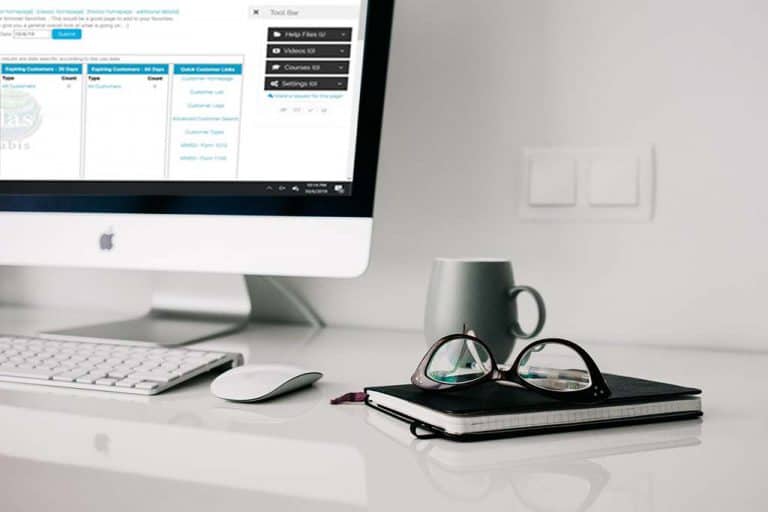
On every page in the platform, there is a small round gear icon on the right hand side of the page. This accesses a tool bar which currently has a help file for the specific page you are on. Development is also under way to add videos and other learning materials to help you learn how to best use y…
Core FeaturesFrequently Asked QuestionsGeneral News and UpdatesHelp FilesSupportTips and Tricks