
Infrequently an expense receipt gets voided and all of the data is not set to zero like it should be. Here is a “hack” or workaround to revoid.
- Find a good and valid E/R – say E/R # 13 for our example.
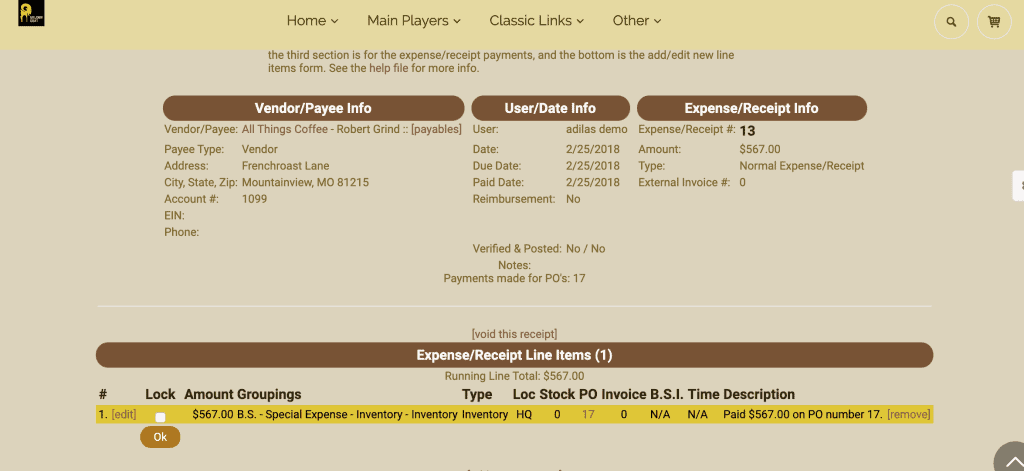
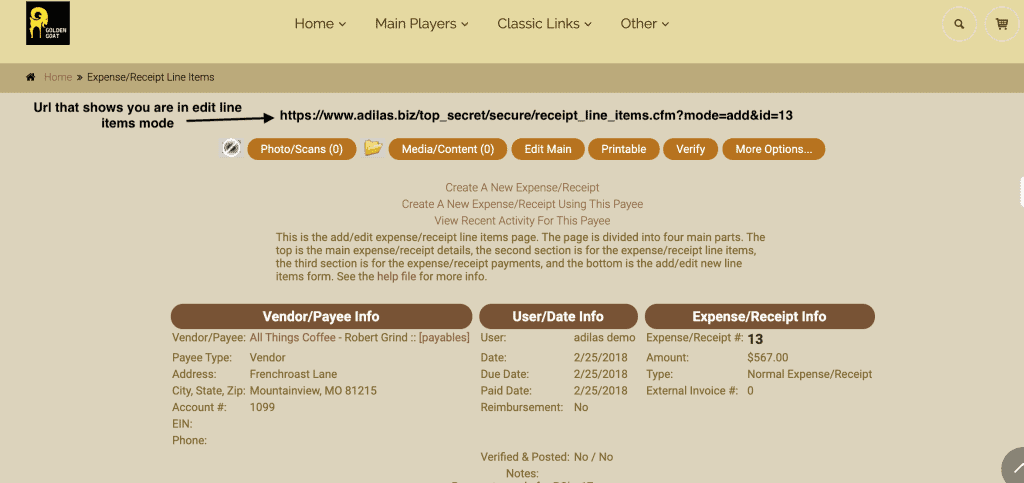
- Make sure you are on the edit line items page where the void link is.
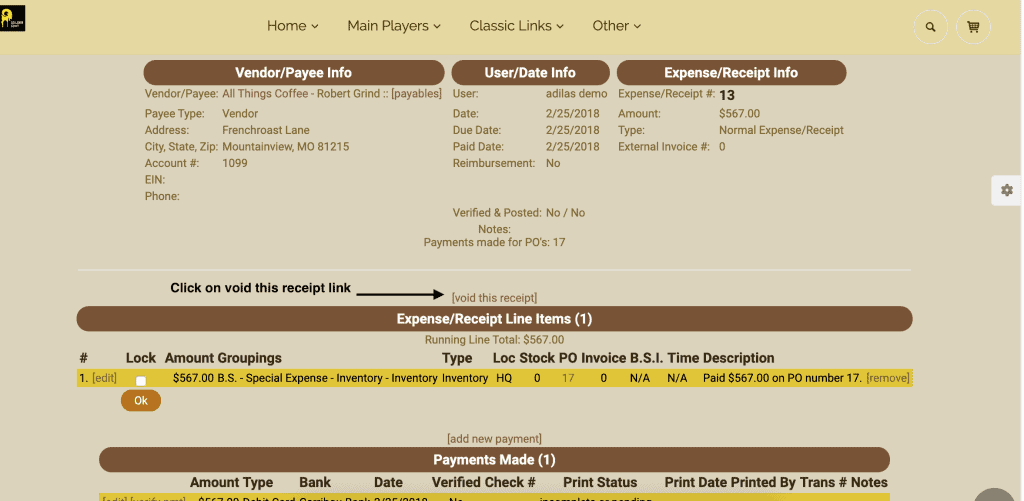
- Actually click on the void link on the good E/R. Don’t worry, you won’t really void that one.
Once on that page, you will be on the void prep page. The URL will look something like:
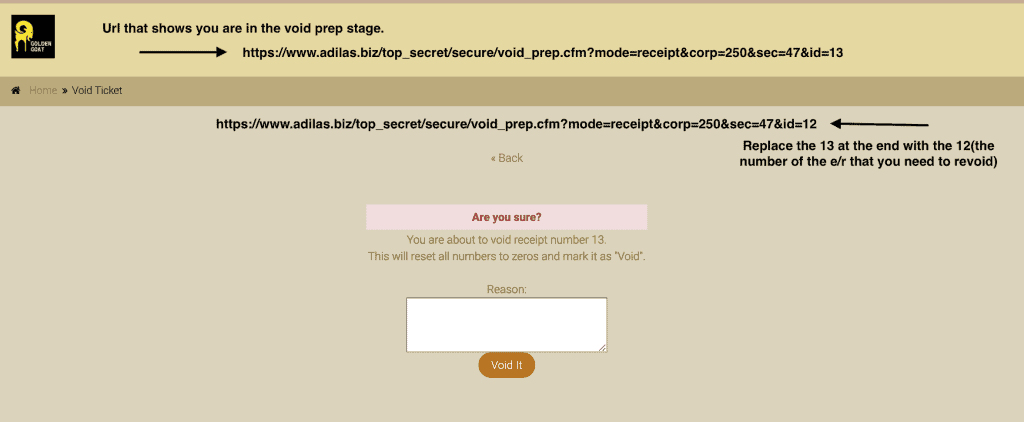
For our example, the good URL is # 13. You need to switch that to the one you want to re-void, for example E/R #12. The new URL would look like:
- https://www.adilas.biz/top_secret/secure/void_prep.cfm?mode=receipt&corp=748&sec=47&id=12 (note the id change on the end)
- Once the id has changed… you have to press your enter key to make it refresh the values. This is a huge key.
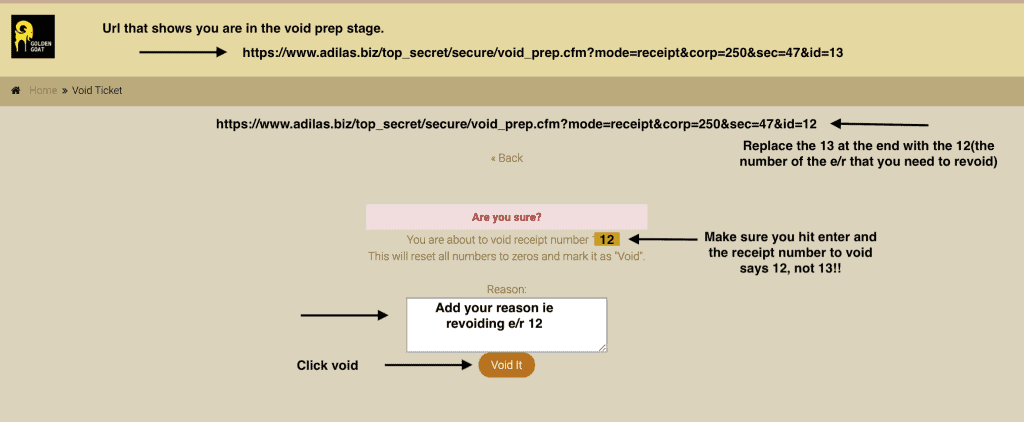
- Once the void prep page is showing the correct one that you want to re-void, you enter a new message and click the void it button.
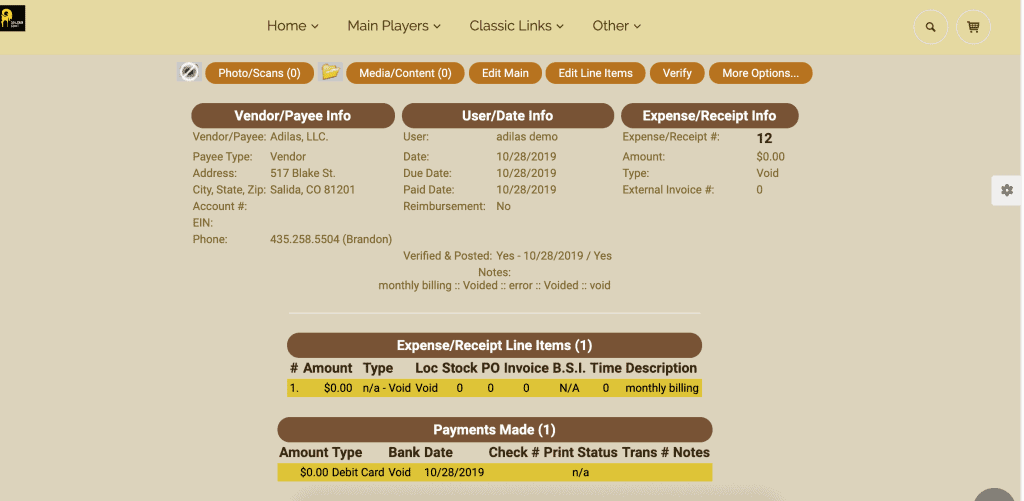
Now if you return to E/R #12 it will be completely voided and zeroed out.
As always, please feel free to reach out to your consultant, Technical Support at 719-966-7102, or email support@adilas.biz if you have any questions, concerns, or suggestions.
First posted on the old news site: https://news.adilas.biz/2019/11/15/how-to-re-void-a-voided-expense-receipt/