News & Updates: Cannabis Updates
What's new in adilas: new features, changes and tips. See every topic.
Clean Up Your Discount Engine With New Bulk Actions
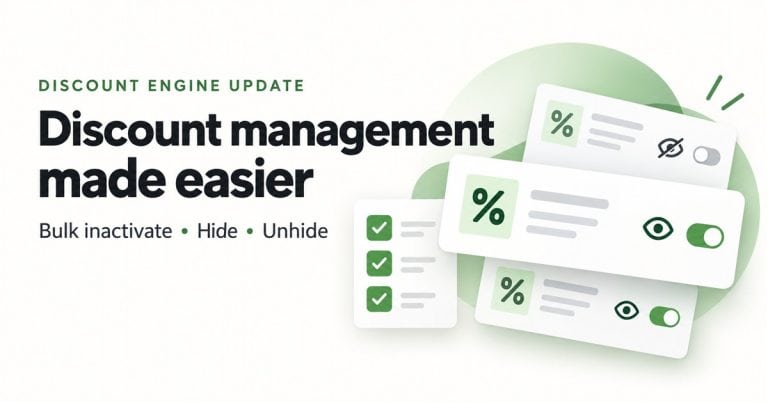
Type Improvement New Features Inactivate multiple discounts at once, hide old discounts from History, and unhide them when you need to see them again. Where Discount Engine — Active and History tabs. Who it is for Users who manage discounts and have access to the Discount Engine. What changed You c…
Cannabis UpdatesGeneral News and UpdatesHelp FilesMJ Tips and TricksSupportTips and TricksCreate Marketing Banners for Your E-Commerce Platform in Adilas
Marketing banners are a great way to highlight specials your store may be running during various periods of time, such as holiday deals or daily specials. The marketing banner settings are found in the new Green Skin Theme E-comm settings. Please refer to news and update ‘New Online Delivery and Or…
Cannabis UpdatesGeneral News and UpdatesHelp FilesMJ Tips and TricksTips and TricksNew Online Delivery and Order Settings
If you haven’t checked out our new Green Skin e-commerce theme, now’s the time! These settings allow for customizing your online store in many ways. See the previous news and update “Adilas E-Commerce Update – New Green Commerce Interface Launch” for more information. Once you have the Green Skin a…
Cannabis UpdatesCore FeaturesGeneral News and UpdatesHelp FilesMJ Tips and TricksSupportTips and TricksNew Quick Debit with Change Setting in Mini Scan Cart
For users who have an external debit or ATM payment solution, now there is a quick payment flow if you are using the mini scan cart. Please refer to prior news and updates for setting up the mini scan cart: “New Shopping Cart Now Available.” Once you have this shopping cart turned on you can access…
Cannabis UpdatesCore FeaturesGeneral News and UpdatesHelp FilesMJ Tips and TricksSupportTips and TricksNew Bulk Transfer Function Now Available
If you need to transfer multiple inventory items from one location to another, this bulk tool is super helpful. Start a transfer shopping cart. Designate your from and to locations. Instead of adding items directly into the cart, navigate to the invoice homepage. Click on more options, and then bul…
Cannabis UpdatesCore FeaturesGeneral News and UpdatesHelp FilesMJ Tips and TricksSupportTips and TricksDo You Want to Receive a Notification When Your Inventory Drops Below a Set Threshold?
Currently, Adilas has email notifications for this that are driven by Purchase Order activity if you set the threshold engine (see previous post entitled “Improvements to the Threshold Engine and Report “). When you reduce your inventory through a PO, such as with an internal build/recipe or update…
Cannabis UpdatesCore FeaturesGeneral News and UpdatesHelp FilesMJ Tips and TricksSupportTips and TricksImprovements to the Threshold Engine and Report
Setting inventory thresholds enables you to see when inventory items drop below a specified level, which helps the inventory manager know when to order more. These settings will generate a report (see below) and will also show up in the shopping cart as an alert. To set inventory thresholds click o…
Cannabis UpdatesCore FeaturesGeneral News and UpdatesHelp FilesMJ Tips and TricksSupportTips and TricksNew Feature in Adilas will Create Transfer Manifest Template in METRC
Adilas now has settings that allow you to create a template in METRC by pushing transfer manifest information directly from Adilas. If you are interested in setting this up for your manufacturing or cultivation business, please give us a call at 720-740-3046 to schedule a time. When we meet, we wil…
Cannabis UpdatesMETRCMJ Tips and TricksNew Settings Homepage
With the proper permissions you can now access all adilas settings in one place. Some of these settings are new and activate newer features in adilas. Many of these settings have been funded by current adilas clients for the benefit of all adilas clients. Feel free to browse the new settings and if…
Cannabis UpdatesCore FeaturesGeneral News and UpdatesHelp FilesMJ Tips and TricksTips and TricksNew Packaging Functionality for Cultivation
Please note that all new harvests will be able to access the new functions upon creation. For existing harvests, there is one additional step to follow. From the cultivation homepage click on Harvests tab. Then choose the harvest type you had assigned to the harvest you wish to package. In this sce…
Cannabis UpdatesHelp FilesMETRCMJ Tips and TricksSupportTips and TricksNew Feature Makes it Easier to View How Many Plants Are Being Removed/Destroyed
Click on the ‘Remove’ link under the tab for Strain, Location, Phase or Batch. Now click on the boxes next to the plants you need to destroy. Scroll to the bottom of the page and you will see that it says “Remove 3 Plants.” Click Destroy Plants. The final page shows the three PO’s for the three pla…
Cannabis UpdatesHelp FilesMJ Tips and TricksUsing the Resync Function for METRC Package Updates
Sometimes when package data changes in METRC (sometimes by a vendor, or through a sales transaction) the package in Adilas does not receive the update. This is when the resync function can come in handy to pull in the latest information. Here’s an example: The THC content is updated in multiple ite…
Cannabis UpdatesHelp FilesMETRCMJ Tips and TricksNew Exit Label for Colorado
There is a new label for Colorado Dispensaries that users can add to their checkout process. To access the settings you must be in a shopping cart. In this example, add a customer from the quick sales buttons to the cart. Click on the question mark on the right side of the page. Click on the settin…
Cannabis UpdatesCore FeaturesGeneral News and UpdatesHelp FilesMJ Tips and TricksTips and TricksHow to Hide Your Closed Subs on the Inventory Homepage
There is a setting that you need to check in order to hide zero quantity/closed sub packages automatically. From the inventory homepage, click on advanced item search (please note the word ‘item’ is dynamic so your system may have another term in its place, such as part, or mmj item). Click on the…
Cannabis UpdatesCore FeaturesGeneral News and UpdatesHelp FilesMJ Tips and TricksSupportTips and TricksSet METRC API Keys for Users
**This function will be live on Wednesday, May 31st***** We now have the ability to add an API key at the user level so that transactions sent to METRC are linked to the user who performed the transaction. You will still need to have a corp level API key in order for the other processes that happen…
Cannabis UpdatesGeneral News and UpdatesHelp FilesMETRCMJ Tips and TricksSupportTips and Tricks