
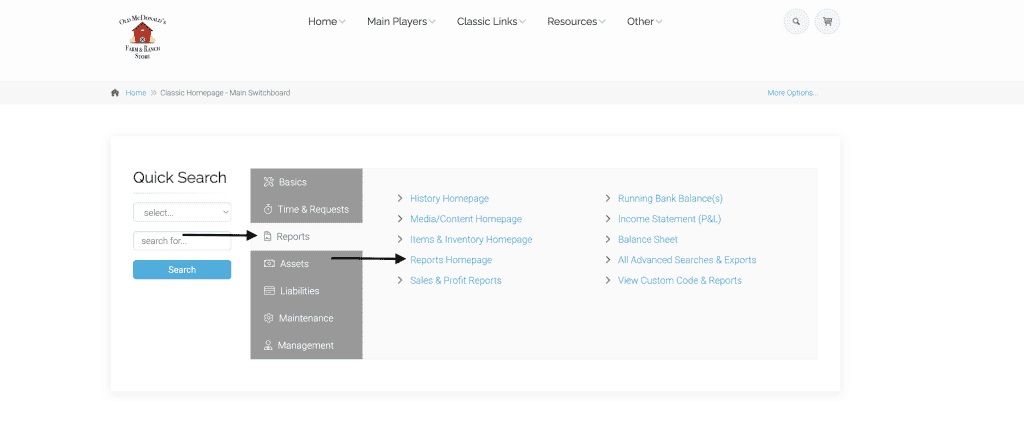
This new report can be found on the reports homepage. From the classic homepage, click on reports. Then click on reports homepage.
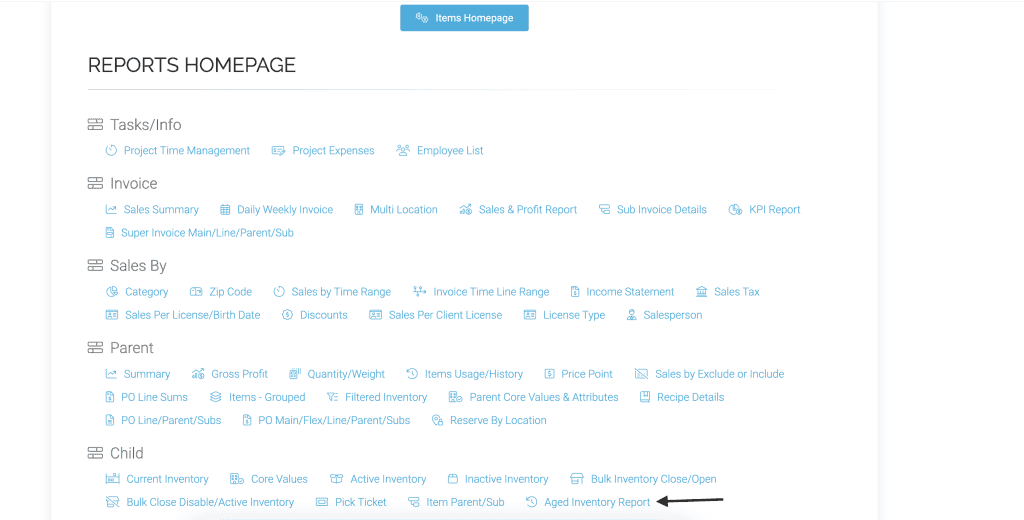
Click on the aged inventory report.
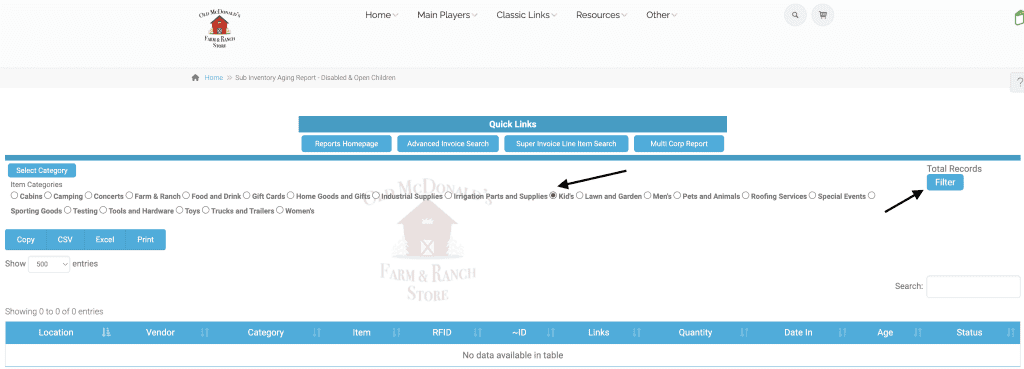
Choose a category and click filter.
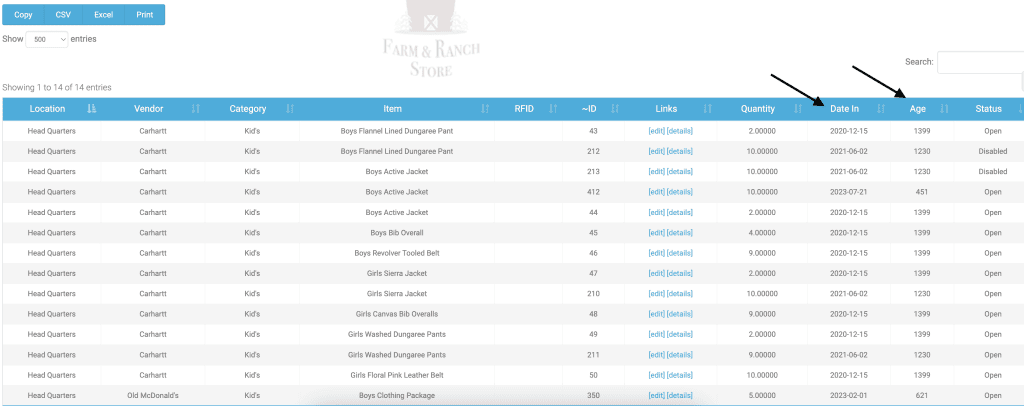
Now you will see how long the sub inventory has been in stock.
As always, please feel free to reach out to technical support at 720-740-3076, or email support@adilas.biz if you have any questions, concerns, or suggestions.
First posted on the old news site: https://news.adilas.biz/2024/10/21/new-aging-inventory-report/