News & Updates: Core Features
What's new in adilas: new features, changes and tips. See every topic.
Using Recipes to Create a New Batch
Recipes allow users to create production batches more quickly and and use the same input and output template over and over again. They are a great guide for quantities, and can also be tweaked as you go for more flexibility when needed. While recipes have existed in the database for many years for…
Cannabis UpdatesCore FeaturesGeneral News and UpdatesHelp FilesMETRCMJ Tips and TricksSupportTips and TricksHow to Create a New Master Time Template
Time templates control what the time elements are called. They also control what they allow as far as subs, add-on’s, default settings, and functions of time. When you create a new element of time, it will always be assigned to a template, which will determine exactly how it functions. To create a…
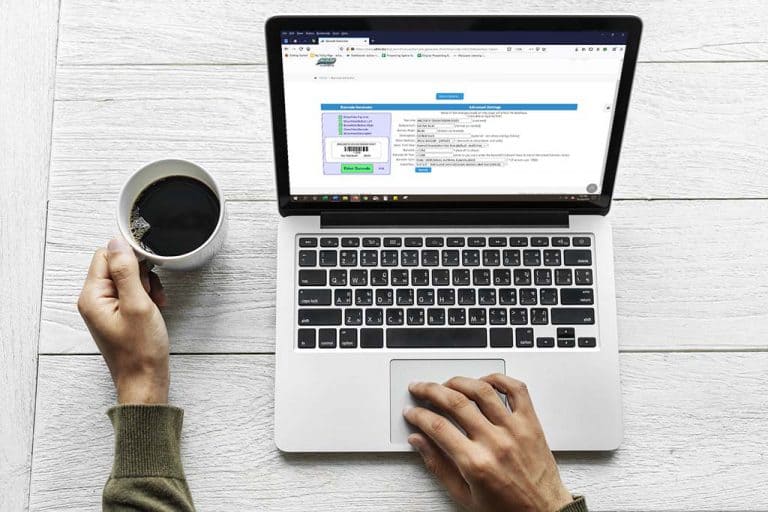
Core FeaturesGeneral News and UpdatesHelp FilesSupportTips and TricksAlternate Text for Barcodes
When printing barcode labels for your inventory items, you may add text under the barcode that is different from the barcode itself. Search for your inventory item, and click on the word “full” to the right of the parent item. From the view item details page, scroll down and click on the link for t…
Core FeaturesGeneral News and UpdatesHelp FilesSupportTips and TricksAdding Quick Customer Buttons to Homepage
Many Recreational Dispensaries use generic customers to help streamline the sales process. If your chooser is set to Recreational Dispensary Homepage, you can take advantage of quick buttons that represent these customers. Here are a few important details to make sure these buttons appear. From the…
Cannabis UpdatesCore FeaturesFrequently Asked QuestionsGeneral News and UpdatesHelp FilesSupportTips and TricksNew Feature… Percentage Calculator
Now there is an easy way to add a percentage to the shopping cart. One such example of when this would be utilized is when a business needs to add a fee for accepting a credit card as a payment type. Here is how you can add this percentage to your sale. Start a shopping cart and add your items
Core FeaturesFrequently Asked QuestionsGeneral News and UpdatesHelp FilesSupportUpdates to Sales and Profit Report – Customer Type Breakdowns and Discount Breakdowns
A big thanks to Eric Tauer for his fabulous additions to the Sales and Profit Report! Now you can see a breakdown of sales by customer types, as well as a full breakdown of all of your discounts. From the Classic Links drop down list at the top of any page, hover over System Reports, and then selec…
Cannabis UpdatesCore FeaturesFrequently Asked QuestionsGeneral News and UpdatesHelp FilesSupportTips and TricksHow to Print Using Chrome**
Finally a solution has been sleuthed out by Renee Grossman on how to use Chrome and print in adilas- thank you Renee for your time! **Please note that these steps worked in Windows 10, BUT NOT for all operating systems. Also note that adilas is currently developing printing functionality within the…
Cannabis UpdatesCore FeaturesFrequently Asked QuestionsGeneral News and UpdatesHelp FilesMJ Tips and TricksSupportTips and TricksProduction Overview for MIPS
The Production functionality in adilas is up and running, with additions being added frequently. Here is a general overview of its current abilities. **These steps assume that you have already created your vendor, categories, and initial Basic Live PO with items that you will be manufacturing with…
Cannabis UpdatesCore FeaturesFrequently Asked QuestionsGeneral News and UpdatesHelp FilesMJ Tips and TricksSupportTips and TricksNew Link for Online Bill Pay
This is a feature that can help you collect receivables more quickly. Please note that your corp has to have online bill pay turned on (this is done in the admin corp-wide setting) and must have a valid merchant processing account (be able to accept credit cards). Once these things match up, the ne…
Core FeaturesFrequently Asked QuestionsGeneral News and UpdatesHelp FilesSupportTips and TricksCustomer Specific Tax Categories and How to Set Them
Each customer in your system may be assigned to a tax category. Some options include normal taxable, wholesale, resale, and government. Previously, the tax category showed up in the shopping cart, and could be manipulated on the fly if needed. The new code allows for the customer tax category to vi…
Core FeaturesFrequently Asked QuestionsGeneral News and UpdatesHelp FilesSupportTips and TricksAuto-populate new customer form with DL scan feature
When a customer comes in to your dispensary, you can scan their drivers license to either add them to a shopping cart, a queue, or add them as a new customer. Place your cursor in the blank field to the left of the “Scan DL” button on the Dispensary homepage. Scan their drivers license. This will d…
Core FeaturesFrequently Asked QuestionsGeneral News and UpdatesHelp FilesMJ Tips and TricksSupportTips and TricksOklahoma is now included in the list of states for payroll tax withholding.
Now those of you in Oklahoma can run your payroll through adilas and rest assured that the proper payroll withholdings will be calculated. Thanks a million to Shawn Curtis for adding this function to the payroll options. Please read below if you need a refresher on how to access these settings. Fro…
Core FeaturesFrequently Asked QuestionsGeneral News and UpdatesHelp FilesSupportTips and TricksUpdate: New Discount Engine RELEASED!!
The developers have been working long and hard to get this new feature launched for us, and we want to give a BIG shout-out to Josh and the developer team for all their hard work!! This new functionality allows you to set specific discounts for daily, weekly, time specific or repeating specials tha…
Cannabis UpdatesCore FeaturesFrequently Asked QuestionsGeneral News and UpdatesHelp FilesMJ Tips and TricksSupportTips and TricksNew Feature… View Customer Purchase History
This feature is great for contract pricing- when your company has special pricing per person or per company. There are a couple ways to take advantage of this functionality. First, start a shopping cart and add an item to it. Once the item is displayed, you will see the ++ symbol in the line item i…
Core FeaturesGeneral News and UpdatesHelp FilesSupportTips and Tricks