News & Updates: General News and Updates
What's new in adilas: new features, changes and tips. See every topic.
Work While You Play – Adilas Conference Event
We are a week away from our Adilas Conference Event, and as promised, we wanted to publish a blog post that describes all the fun things you can do when you are not attending the training event. If you have not registered yet, please click the button below to sign up ASAP so we can start to gather…
Cannabis UpdatesGeneral News and UpdatesTraining Sign Up & Registration
Here is the complete overview of each training session that is planned for the 3-day conference. Sign up for all 3 days and save $200! Or, pick and choose the specific day(s) that you would like to attend. In-person or online virtual seats are available. The location of the training will be at the…
Cannabis UpdatesGeneral News and UpdatesConference Training Schedule & Pricing
Brush up on your skills or learn new techniques that will help take your business to the next level, all while visiting the birthplace of Adilas! Sign up for registration to follow soon. We will announce more details such as venue location, activities in the area, and the sign up form next week. If…
Cannabis UpdatesGeneral News and UpdatesSave The Date – Adilas Conference & Training Event
Adilas will be hosting a live conference training event in the town where it all started, Salida, Colorado. The event will take place during the dates of June 8th-10th, 2021. There will be more details to come as we work through the exact location, training topics, keynote speakers and much more! S…
Cannabis UpdatesGeneral News and UpdatesNew Website, Same Great Software!
We are officially excited to announce the launch of our brand new website! Click here to see what’s new! Our new website aims to do three things: 1) provide new customers with optimal information about our cloud-based software and services 2) provide additional resources for our current customers a…
Core FeaturesCustomer FeedbackGeneral News and UpdatesIMPORTANT! New Website Launch, Check Your Login Process
This change may affect some of our customer’s ability to log in. Depending on how you CURRENTLY log in to Adilas will determine if you will need to take action before 5/3/21! PLEASE READ BELOW FOR MORE INFO! Adilas is excited to announce that we will be launching a brand new website in an effort to…
Core FeaturesGeneral News and UpdatesSupportTips and TricksBulk Update for Customer Core Values
There are now three customer fields that can be bulk updated for customer data. To access these bulk update settings, go to the customer homepage. In this corp, they use the name “client” for customer. Click on more options and choose customer core updates. Click on the “i” symbol to access directi…
Core FeaturesGeneral News and UpdatesHelp FilesSupportTips and TricksNew Default for Show Part/Item on the Web
There is a new default setting for your part/item that will automatically show it or hide it from the built-in Adilas e-commerce. From the Classic homepage, click on Reports. Click on Inventory Homepage. Click on More Options, then click on Add/Edit Part Categories. You can activate this setting wh…
Core FeaturesGeneral News and UpdatesHelp FilesSupportTips and TricksPassword Requirements Have Changed for New Users
Adilas now requires an eight character password when creating a new user. Go to the Classic Homepage. Click on System Management. Click on Add/Edit Payees and Permissions. Click on Add Payee. Search for Payee to make sure they don’t already exist in the database. Confirm that search results are zer…
Core FeaturesGeneral News and UpdatesHelp FilesSupportTips and TricksNew Corp-wide Setting: “Active” or “Allow Subs Only” Part Default
Many of our clients use parent parts/items, and this setting will not pertain to them, as the “default” default for parts/items will still be “active”. For those clients who use sub inventory, the new default for “Allow Subs Only” will be helpful for designating any future parent item’s default sta…
Cannabis UpdatesCore FeaturesGeneral News and UpdatesHelp FilesMJ Tips and TricksSupportTips and TricksNew Report Includes Main and Additional Contact Emails
There is a new report that allows the user to see all customer email addresses, including those in the additional contact information. From the Classic homepage, go to Maintenance and then the Customer homepage. Click on Advanced Search. Click on More options, and then click on “Show All Email Addr…
General News and UpdatesHelp FilesTips and Tricks2020 1099 NEC and 1099 MISC are now live in Adilas
The IRS rolled out a new 1099 for the tax year 2020 for non-employee compensation. This is called the 1099 NEC. Previously this income was reported on the 1099 MISC. Adilas has made both of these forms available to its clients. In order to populate these forms, you will need to ensure the vendors h…
Frequently Asked QuestionsGeneral News and UpdatesHelp FilesSupportTips and TricksRecommended Tools – Updated 02/2022
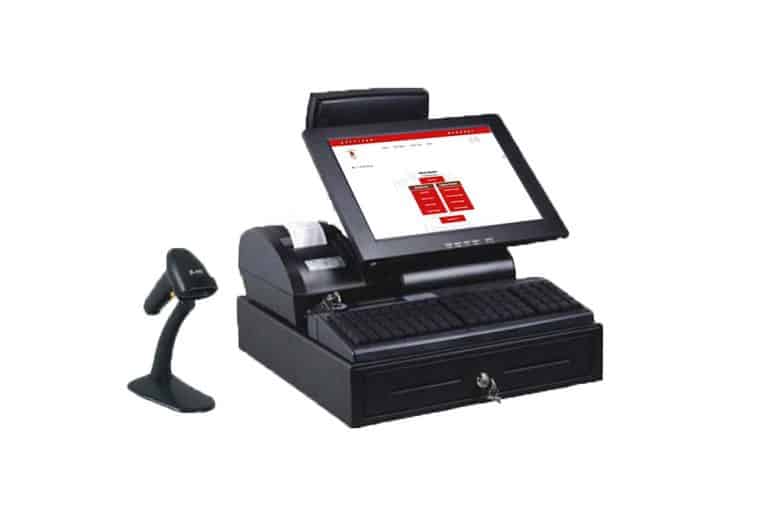
We often receive the question, “What kind of hardware should I use with your software?” This can be a difficult question to answer because it depends on the type of computer you have, the browser you use, and even the amount of desk space you have available to you. These tools are an important face…
General News and UpdatesHardware SupportTips and TricksNew Year, New Password
In an effort to be proactive with our security measures in an ever-evolving 3D data world, Adilas suggests that all of our customers take a moment at the beginning of each year to increase their password security level to ensure the protection of their data. So, how do you create the ideal password…
General News and UpdatesSupportTips and TricksNew Tech Support Number for Adilas
To our clients, Starting Tuesday, January 19th Adilas will be implementing a new service called Adilas Phones. The new phone number is 720-740-3076. You will be prompted to select from the below menu options. This will help us better address your needs when you call in. The support email will remai…
Core FeaturesFrequently Asked QuestionsGeneral News and UpdatesHelp FilesSupportTips and Tricks