News & Updates: Help Files
What's new in adilas: new features, changes and tips. See every topic.
New Advanced Part Search and Export Settings
Now you can choose what fields show up in a part search and a part export. Please note that the word ‘part’ is dynamic and may be named ‘item’ or ‘mj item’ or ‘inventory item’ in your system. It is the generic term for inventory. From any page in adilas, click on the magnifying glass and choose par…
Core FeaturesGeneral News and UpdatesHelp FilesSupportTips and TricksNew Look for Employee Payroll Withholding Fields and New Fields for Employer Withholding
Adilas has edited some existing fields in payroll to help address the new withholding for FAMLI in the state of Colorado. These fields are available to anyone requiring additional withholding for payroll, but for this update we will focus on how this helps with this particular withholding scenario…
General News and UpdatesHelp FilesSupportBalance Sheet Item Added to Quick Search
From any page in adilas you can quickly navigate to the balance sheet. Some search options include: Type in a specific date for the balance sheet. The search will take you directly to that date. Enter a number for a user maintained balance sheet item. You will land on the user maintained balance sh…
Core FeaturesGeneral News and UpdatesHelp FilesTips and TricksUse the New Look for 2023 or Keep the Old Look
You most likely have noticed some new looking pages in Adilas, particularly in the banking area. If you don’t want to use the new pages, you can switch a setting and have access to the old look. You can always switch back to the new look when you have the time or feel like you are ready for the cha…
Core FeaturesGeneral News and UpdatesHelp FilesSupportTips and TricksNew Year… New Look and Feel!
There will be some new looking pages in Adilas coming in the next days and weeks. One example of a new look is the bank homepage. The default tab is the bank homepage that shows your bank balances. The second tab is for bank transfers. The bank transfer tab works as before, with clear instructions…
Core FeaturesGeneral News and UpdatesHelp FilesTips and TricksNew Printable Invoice Settings for Mini Version
New settings allow you to add a QR code to the printable invoice for the mini version. If you would like the QR code on another printable version, please contact us and we can get you a quote. Click here to watch a quick video on how to set this up or keep reading below. To turn on these settings,
Core FeaturesGeneral News and UpdatesHelp FilesTips and TricksNew Interface for Online Scheduling
**Please read news and update titled “Flex Grid Tie In Settings Required for Online Scheduling” first. Now your clients can reserve their spot for events or appointments online through your integrated Adilas e-commerce. To start, you will need to create a master time template for Elements of Time…
Core FeaturesGeneral News and UpdatesHelp FilesSupportTips and TricksNew Permission Now Required for Certain Settings in Adilas
We have added a new permission to access the following page settings: Cultivation, Production, Gram control in the shopping cart, and MMJ Homepage settings. You will need to assign yourself or be assigned this permission (id=176) before you can access these pages. Until then, when you try to access…
Cannabis UpdatesGeneral News and UpdatesHelp FilesMJ Tips and TricksSupportTips and TricksNew Gift Card Function Live on All Servers
Now you can sell gift cards in adilas and customers can use them for purchases. Please follow the instructions below for setup. If you have any questions or need help setting this up in your system, you can email Sean Carlton at sean.carlton@adilas.biz. First you will need to create a new inventory…
Core FeaturesGeneral News and UpdatesHelp FilesTips and TricksElements of Time Homepage Will Have a New Look
In the next week or two, the Elements of Time Homepage will have a new look. The homepage for Elements of Time works the same but has some added functionality. Please see image below and refer to the numbered list underneath for details. 8. This is the grouped view. Please see screenshot below. 9…
Core FeaturesGeneral News and UpdatesHelp FilesAdd Invoice Only “Permission”
Now there is a new limiting permission which restricts the user from viewing more than one invoice at a time. If the user has basic invoice permissions, they can operate in a shopping cart and make a sale. They can also look at the last invoice created. To find the permission, do a ‘ctrl f’ for 175…
Frequently Asked QuestionsGeneral News and UpdatesHelp FilesSupportTips and TricksAdd Due Date and Credit Terms to Invoices
Now you can view your invoice due date and credit terms on your invoice. There are several settings that need to be configured in order to see this information on your invoices. From the classic homepage, click on management, then manage corp info and permissions. Click on corp-wide settings. Then…
Core FeaturesGeneral News and UpdatesHelp FilesSupportTips and TricksTrack Project Time in Elements of Time
Elements of Time is a robust component of adilas that has myriad applications for your business. This update highlights new functionality that allows you to track time that has been spent on specific activities/projects by one or multiple people in your company. To get started with Elements of Time…
Core FeaturesGeneral News and UpdatesHelp FilesTips and TricksProduct Registration & Warranty Functionality
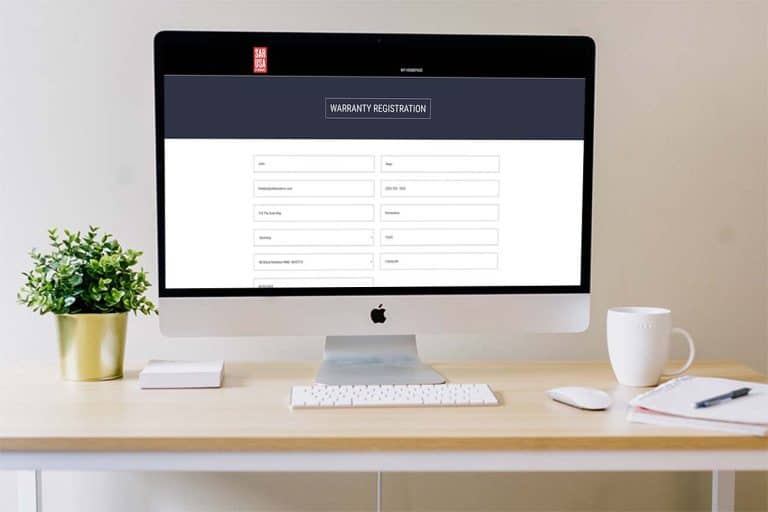
Please click here to watch a short video on how the product registration and warranty functions in Adilas. This is a great solution if you are selling any products that allow for warranties. If you are interested in integrating a workflow for online product registration please reach out and we can…
General News and UpdatesHelp FilesNew Look for Working with Time
There is a new look for the Working with Time page. When you click on an Element of Time that you have scheduled on your Elements of Time Homepage, the new layout will look similar to the screenshot below. This is completely based on how your time template is set up, so yours may differ from this e…
Core FeaturesGeneral News and UpdatesHelp FilesSupportTips and Tricks