News & Updates: Cannabis Updates
What's new in adilas: new features, changes and tips. See every topic.
Now adilas Cultivation Can Handle Much Larger Plant Batches
In order to allow for larger batch sizes or movements of large numbers of plant, Adilas has created new code to cut down on the load times by creating new settings for cultivation. This setting will determine how many plants you can view and manipulate at one time, and can be changed as often as ne…
Cannabis UpdatesHelp FilesMJ Tips and TricksMetrc Bulletin 64
Please click here to view Metrc Bulletin 64 for Nevada. As always, please feel free to reach out to your consultant, Technical Support at 719-966-7102, or email support@adilas.biz if you have any questions, concerns, or suggestions.
Cannabis UpdatesMETRCMetrc Bulletin #63
Please click here to view Metrc Bulletin 63 for Colorado. As always, please feel free to reach out to your consultant, Technical Support at 719-966-7102, or email support@adilas.biz if you have any questions, concerns, or suggestions.
Cannabis UpdatesMETRCBuilding Complex Labels (a.k.a. mini conversions)
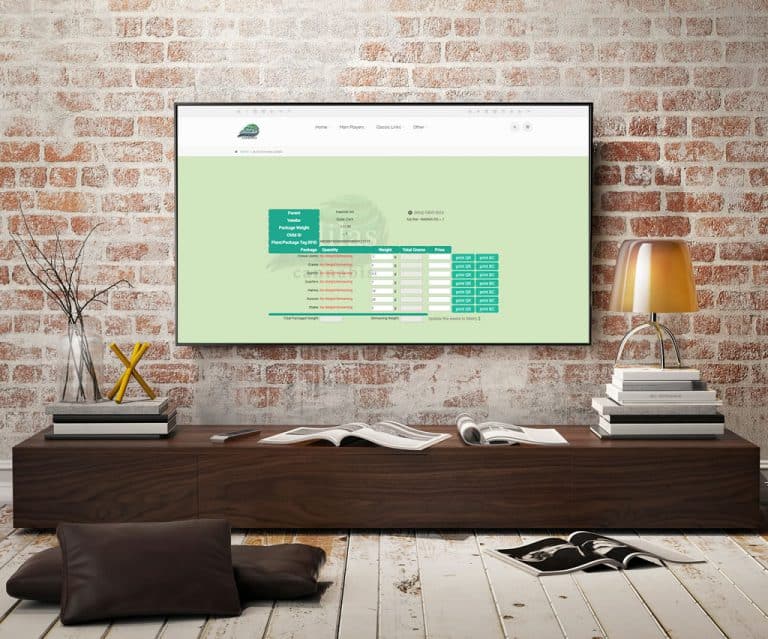
This mini conversion code is useful for barcoding bulk flower to sell as packaged units. You may break the flower into pre-rolls, grams, 1/8ths, 1/4’s, 1/2’s, and oz’s, and push any remaining value to Metrc as waste. You may enter the number of units, the weight in grams of each unit, and the price…
Cannabis UpdatesMJ Tips and TricksMETRC API Bulletin #61
Please click here for information regarding API Bulletin #61. This relates to California clients only. As always, please feel free to reach out to your consultant, Technical Support at 719-966-7102, or email support@adilas.biz if you have any questions, concerns, or suggestions.
Cannabis UpdatesHelp FilesMETRCBulk Update Parent RFID Field and Web Status
Now you can bulk update the parent RFID field and the parent web status. As with the other parent updates, you will access this through global parts markup link, which is under system maintenance. If you don’t see this as an option, you will need the permission id=74. Once you click on global parts…
Cannabis UpdatesCore FeaturesGeneral News and UpdatesHelp FilesMJ Tips and TricksTips and TricksNew ‘Sub Barcodes’ setting speeds up adding sub inventory to the shopping cart
Go to Manage Corp Info and Permissions. Click on Corp-Wide Settings. Scroll down to setting #37. The default is to have only the “Part Numbers” option selected. If this is the only selection that is chosen, the cart quick search drop-down menu will be hidden (users won’t even see it as an option)…
Cannabis UpdatesCore FeaturesFrequently Asked QuestionsGeneral News and UpdatesHelp FilesMJ Tips and TricksSupportTips and TricksCategory has been added to two invoice report searches
A column for an item’s category is now displayed when you run the invoice line item report and the super invoice line report. To see this new feature, go to your invoice homepage. Click on advanced invoice search tab. Scroll down to filter line details section. Select relevant search information as…
Cannabis UpdatesCore FeaturesGeneral News and UpdatesHelp FilesMJ Tips and TricksSupportTips and TricksHow to Bulk Update Parent Items: Tax Category, Status and Weight
Now there is a way to change some important information on your parent items all at one time. First, make sure you have the admin permission #109, which is ID=74. This can be found toward the bottom of the permission list. From the Classic Homepage, go to System Maintenance and choose Global Items…
Cannabis UpdatesCore FeaturesFrequently Asked QuestionsGeneral News and UpdatesHelp FilesMJ Tips and TricksSupportTips and TricksMeet the adilas Team: Charles Swann, Developer
Adilas would like to welcome our newest team member, Charles Swann. Charles is originally from Preston, ID and currently resides in Utah. Charles served our country in the Army National Guard. He completed his basic training at Fort Leonard Wood, MO and then his Advanced Training in Artillery as Fi…
Cannabis UpdatesCore FeaturesFrequently Asked QuestionsGeneral News and UpdatesSupportMETRC API Bulletin 56
This METRC API Bulletin affects Oregon, Colorado and all other instances of METRC EXCEPT for California. Please click here to view this important bulletin. As always, please feel free to reach out to your consultant, Technical Support at 719-966-7102, or email support@adilas.biz if you have any que…
Cannabis UpdatesMETRCMJ Tips and TricksNew Cultivation Settings – Part Two
Previously during the harvest process, you had to input a wet weight, then a dry weight, and then you could package your harvest. Now, you also have the option to enter the wet weight and then close out the harvest and package. There are also additional settings available if you decide to wait to p…
Cannabis UpdatesHelp FilesMJ Tips and TricksThe Reports Homepage
We wanted to give you a quick reference guide to our new and improved Reports Homepage. Here we have broken each section down into individual reports, with a short explanation and instructional for each. In order to access the Reports Homepage, the user requires permission id=146. Additionally, the…
Cannabis UpdatesCore FeaturesFrequently Asked QuestionsGeneral News and UpdatesHelp FilesMJ Tips and TricksSupportTips and TricksBarcodes can now be added to custom labels
Many clients have been requesting the ability to add QR or barcodes to their custom labels and now we can! Please contact your consultant or technical support at 719-966-7102 or via email at support@adilas.biz if you’d like to add this new feature to your existing label. Minor charges will apply.
Cannabis UpdatesCore FeaturesFrequently Asked QuestionsGeneral News and UpdatesHelp FilesMJ Tips and TricksTips and TricksMetrc API Bulletin 54
This bulletin relates to configuration changes for Michigan, Alaska and Nevada. These updates are effective as of November 14, 2019. Please click here for link to bulletin for important updates if you are in one of the above listed states. As always, please feel free to reach out to your consultant…
Cannabis UpdatesMETRCMJ Tips and Tricks