News & Updates: MJ Tips and Tricks
What's new in adilas: new features, changes and tips. See every topic.
Adilas has incorporated a new AI feature
This feature allows user to generate an image for an item and easily save that image to the item. Coming soon…generate an image for a category and save to the category. To use this new AI feature, navigate to the items and inventory homepage. In this example, we are starting from the classic homepa…
Core FeaturesFrequently Asked QuestionsGeneral News and UpdatesHelp FilesMJ Tips and TricksSupportTips and TricksImprovements to the Threshold Engine and Report
Setting inventory thresholds enables you to see when inventory items drop below a specified level, which helps the inventory manager know when to order more. These settings will generate a report (see below) and will also show up in the shopping cart as an alert. To set inventory thresholds click o…
Cannabis UpdatesCore FeaturesGeneral News and UpdatesHelp FilesMJ Tips and TricksSupportTips and TricksNew Feature in Adilas will Create Transfer Manifest Template in METRC
Adilas now has settings that allow you to create a template in METRC by pushing transfer manifest information directly from Adilas. If you are interested in setting this up for your manufacturing or cultivation business, please give us a call at 720-740-3046 to schedule a time. When we meet, we wil…
Cannabis UpdatesMETRCMJ Tips and TricksNew Settings Homepage
With the proper permissions you can now access all adilas settings in one place. Some of these settings are new and activate newer features in adilas. Many of these settings have been funded by current adilas clients for the benefit of all adilas clients. Feel free to browse the new settings and if…
Cannabis UpdatesCore FeaturesGeneral News and UpdatesHelp FilesMJ Tips and TricksTips and TricksNew Packaging Functionality for Cultivation
Please note that all new harvests will be able to access the new functions upon creation. For existing harvests, there is one additional step to follow. From the cultivation homepage click on Harvests tab. Then choose the harvest type you had assigned to the harvest you wish to package. In this sce…
Cannabis UpdatesHelp FilesMETRCMJ Tips and TricksSupportTips and TricksNew Feature Makes it Easier to View How Many Plants Are Being Removed/Destroyed
Click on the ‘Remove’ link under the tab for Strain, Location, Phase or Batch. Now click on the boxes next to the plants you need to destroy. Scroll to the bottom of the page and you will see that it says “Remove 3 Plants.” Click Destroy Plants. The final page shows the three PO’s for the three pla…
Cannabis UpdatesHelp FilesMJ Tips and TricksUsing the Resync Function for METRC Package Updates
Sometimes when package data changes in METRC (sometimes by a vendor, or through a sales transaction) the package in Adilas does not receive the update. This is when the resync function can come in handy to pull in the latest information. Here’s an example: The THC content is updated in multiple ite…
Cannabis UpdatesHelp FilesMETRCMJ Tips and TricksNew Exit Label for Colorado
There is a new label for Colorado Dispensaries that users can add to their checkout process. To access the settings you must be in a shopping cart. In this example, add a customer from the quick sales buttons to the cart. Click on the question mark on the right side of the page. Click on the settin…
Cannabis UpdatesCore FeaturesGeneral News and UpdatesHelp FilesMJ Tips and TricksTips and TricksHow to Hide Your Closed Subs on the Inventory Homepage
There is a setting that you need to check in order to hide zero quantity/closed sub packages automatically. From the inventory homepage, click on advanced item search (please note the word ‘item’ is dynamic so your system may have another term in its place, such as part, or mmj item). Click on the…
Cannabis UpdatesCore FeaturesGeneral News and UpdatesHelp FilesMJ Tips and TricksSupportTips and TricksSet METRC API Keys for Users
**This function will be live on Wednesday, May 31st***** We now have the ability to add an API key at the user level so that transactions sent to METRC are linked to the user who performed the transaction. You will still need to have a corp level API key in order for the other processes that happen…
Cannabis UpdatesGeneral News and UpdatesHelp FilesMETRCMJ Tips and TricksSupportTips and TricksNew Permission Now Required for Certain Settings in Adilas
We have added a new permission to access the following page settings: Cultivation, Production, Gram control in the shopping cart, and MMJ Homepage settings. You will need to assign yourself or be assigned this permission (id=176) before you can access these pages. Until then, when you try to access…
Cannabis UpdatesGeneral News and UpdatesHelp FilesMJ Tips and TricksSupportTips and TricksBulk Hide Transfers on the Compare Inventory Page
Now there is a quick and easy way to hide multiple packages at a time that persist on the compare inventory page even though they have been transferred out of your facility. Please keep in mind that you still need to make sure these packages are zero quantity in both adilas and METRC. You also need…
Help FilesMETRCMJ Tips and TricksPO Line Item Rounding for Internal Builds
Adilas has a way for every PO Line Item (on all PO types) to go through a rounding function where the system will do the calculations in the background for you. There is a keyword of “auto” that we use behind the scenes that is used to force the math update. If a real rounding number is submitted m…
Cannabis UpdatesCore FeaturesGeneral News and UpdatesMJ Tips and TricksTips and TricksHow to Set Tiered Pricing in e-Commerce
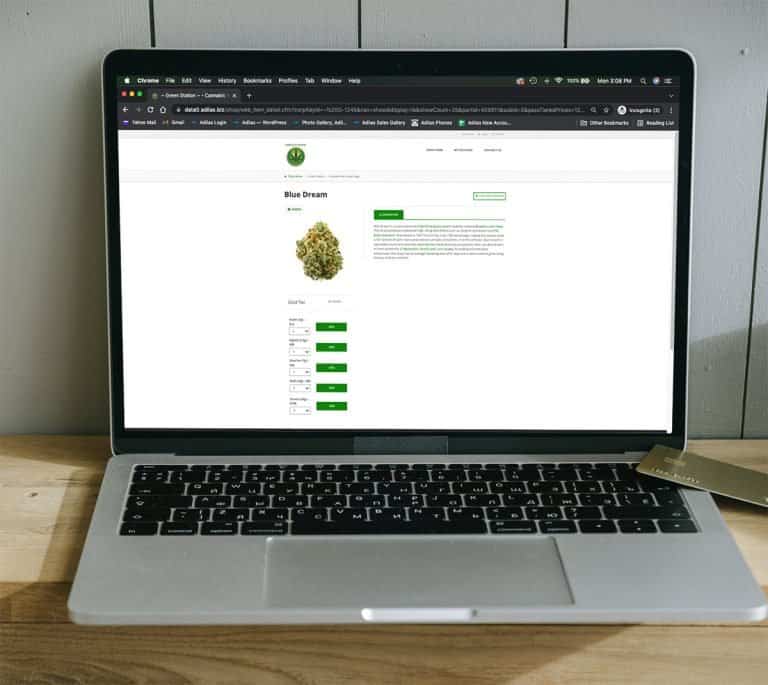
Using Parent Attributes (also known as Parent Tags), users can create tiered pricing for pre-packaged cannabis to be sold through the Adilas e-commerce platform. Navigate to the Items Homepage and click on more options. Select “Add/Edit Parent Attribute Categories” Select “Add New Parent Attribute…
Cannabis UpdatesMJ Tips and Tricks