News & Updates: General News and Updates
What's new in adilas: new features, changes and tips. See every topic.
New Setting Homepage and Corp Wide Setting Page
The “Manage Corp Info & Permissions” page and the “Corporation-Wide Settings And Defaults” page have been redesigned. “Manage Corp Info & Permissions” page “Corporation-Wide Settings And Defaults” page The “Corporation-Wide Settings And Defaults” page has also received a reconfiguration of its sett…
General News and UpdatesNew Payee Permission Home
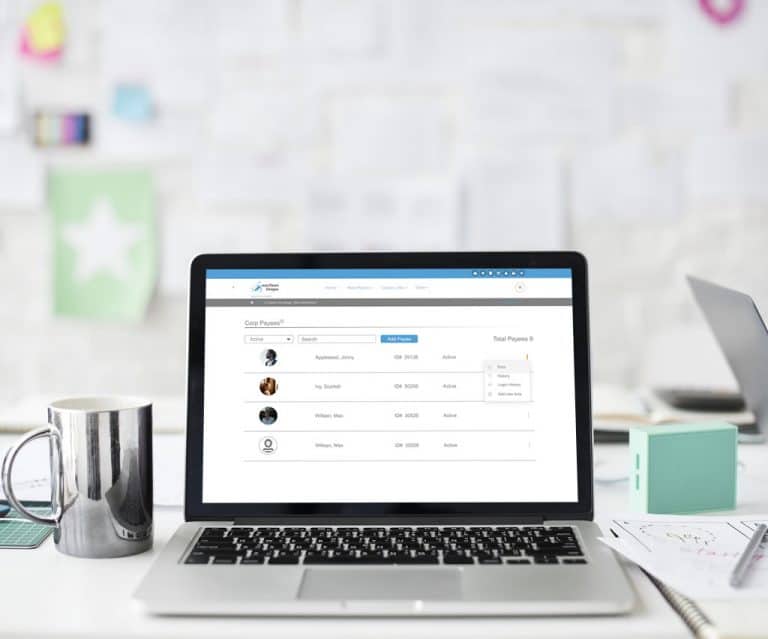
Here is a sneak peek of the new payee permission homepage, which is receiving a face lift. It also includes the ability to search/filter users to more easily find who you are looking for. This page should be going live between July 28 and August 8. Upon launching or shortly thereafter this page wil…
General News and UpdatesHow to do a Wholesale Transfer Invoice
There are new settings that allow you to create a wholesale transfer invoice in adilas. These settings accomplish three things: 1) You can sell inventory at cost without manipulating the items in the cart. 2) You can add a mark-up for wholesale without manipulating the items in the cart. 3) If you…
Cannabis UpdatesGeneral News and UpdatesHelp FilesMETRCMJ Tips and TricksTips and TricksNew Classic Homepage
This new look is scheduled to launch end of day on Thursday, June 18, 2020. It is the first of many pages that will be getting a makeover. The new Classic Home Page removes the three click process down to two clicks or less. It also features a more slimmed-down version of the quick search and a ‘mo…
General News and UpdatesPrinting POS Labels is Easier Than Ever
We have simplified the POS label printing process. Once you start a new cart, click on the settings gear to the left of the “Clear Cart” button near the top of the page. There are three easy settings. Once you set them, they stay set until you change them. 1)Make sure to set auto print to on. 2) If…
Cannabis UpdatesGeneral News and UpdatesHelp FilesMJ Tips and TricksSupportTips and TricksMore Tips for Managing your Loyalty Program
New functionality has been added to the loyalty program and here are some more tips too! Previously, even after you voided an invoice for a customer, the loyalty points would need to be manually removed. Now, when you void the invoice, the points go too! Simply go to the invoice that you need to vo…
Core FeaturesFrequently Asked QuestionsGeneral News and UpdatesHelp FilesSupportTips and TricksLoyalty Points Program – New Features Have Been Added…
This update includes all of the original information plus new rules and permissions that have been added since the fall. Thanks to all the hard work of Eric Tauer and Brandon Moore, the first phase of the loyalty points program is now in effect. It is easy to setup and use, and will be a great addi…
Core FeaturesGeneral News and UpdatesHelp FilesTips and TricksMinimal Contact and Social Distancing Update
In response to the COVID-19 (Coronavirus) news sweeping across the globe, we would like to provide solutions to our customers, their clients, and their patients by providing “minimal contact” solutions for your employees and customers. Did you know that Adilas already has a built-in e-commerce plat…
Frequently Asked QuestionsGeneral News and UpdatesHelp FilesSupportTips and TricksA Message to Our Customers
To Our adilas Users, This is an unprecedented time for all of us with the constantly changing COVID-19 situation around the world. We want to express our concern for you as part of our extended adilas family. As one of the highly valued users of our software, we are committed to you and are here to…
General News and UpdatesCustomer Sort Functions
Now you can easily view your customer list and sort all of the information. Start at the classic homepage and navigate to the customer homepage via system maintenance. Click on More Options and choose the Printable Customer List. Now you can choose how many records you view, export your data to csv…
Core FeaturesFrequently Asked QuestionsGeneral News and UpdatesHelp FilesTips and TricksTips for Calculating Payroll at the End of the Calendar Year
When running your payroll at the end of the year, it is important to pay attention to the “Use Tax Year” drop down list to ensure that your payroll is included with your liabilities for the month/quarter. For example, say you are calculating your payroll for 12/16/19 through 12/31/19. If you were p…
Core FeaturesFrequently Asked QuestionsGeneral News and UpdatesHelp FilesSupportTips and TricksNew W-4 in 2020
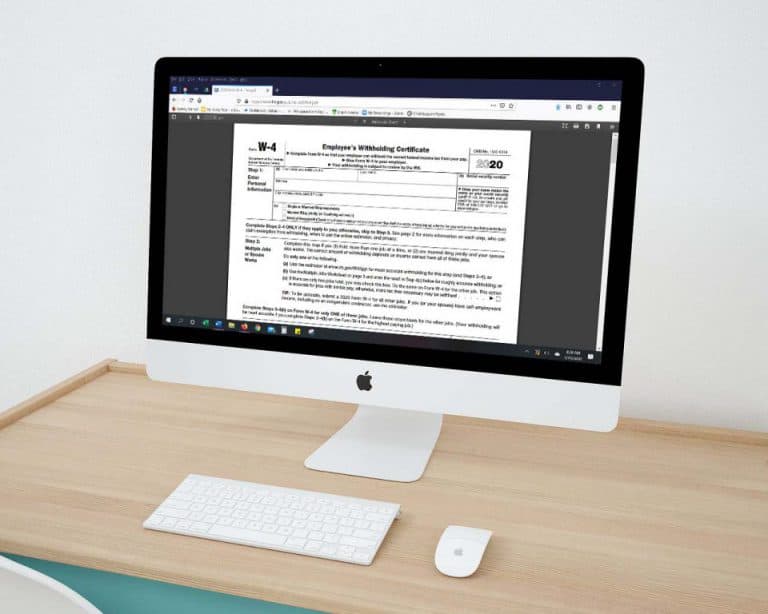
Changes have been made to the W-4 Form that deals with “Allowances;” employees use this form to determine the amount of income tax that is withheld from their payroll. Please note, if your employee already has a W-4 (2019 & prior) with your company, they are grandfathered in and do not need to fill…
Frequently Asked QuestionsGeneral News and UpdatesHelp FilesTips and TricksSeveral New View Only Permissions Now Available
When selected, these negative permissions will allow users to create and view but not edit various forms in adilas. Here is a brief review, as well as the corresponding id #’s so you can do a search and find them easily. First, from the classic homepage, navigate to the system management drop down…
Core FeaturesFrequently Asked QuestionsGeneral News and UpdatesHelp FilesTips and TricksBulk Update Parent RFID Field and Web Status
Now you can bulk update the parent RFID field and the parent web status. As with the other parent updates, you will access this through global parts markup link, which is under system maintenance. If you don’t see this as an option, you will need the permission id=74. Once you click on global parts…
Cannabis UpdatesCore FeaturesGeneral News and UpdatesHelp FilesMJ Tips and TricksTips and TricksNew ‘Sub Barcodes’ setting speeds up adding sub inventory to the shopping cart
Go to Manage Corp Info and Permissions. Click on Corp-Wide Settings. Scroll down to setting #37. The default is to have only the “Part Numbers” option selected. If this is the only selection that is chosen, the cart quick search drop-down menu will be hidden (users won’t even see it as an option)…
Cannabis UpdatesCore FeaturesFrequently Asked QuestionsGeneral News and UpdatesHelp FilesMJ Tips and TricksSupportTips and Tricks