News & Updates: MJ Tips and Tricks
What's new in adilas: new features, changes and tips. See every topic.
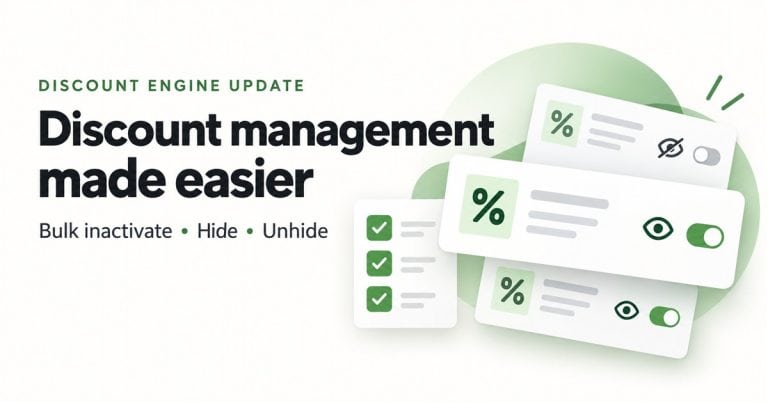
Clean Up Your Discount Engine With New Bulk Actions
Type Improvement New Features Inactivate multiple discounts at once, hide old discounts from History, and unhide them when you need to see them again. Where Discount Engine — Active and History tabs. Who it is for Users who manage discounts and have access to the Discount Engine. What changed You c…
Cannabis UpdatesGeneral News and UpdatesHelp FilesMJ Tips and TricksSupportTips and TricksCreate Marketing Banners for Your E-Commerce Platform in Adilas
Marketing banners are a great way to highlight specials your store may be running during various periods of time, such as holiday deals or daily specials. The marketing banner settings are found in the new Green Skin Theme E-comm settings. Please refer to news and update ‘New Online Delivery and Or…
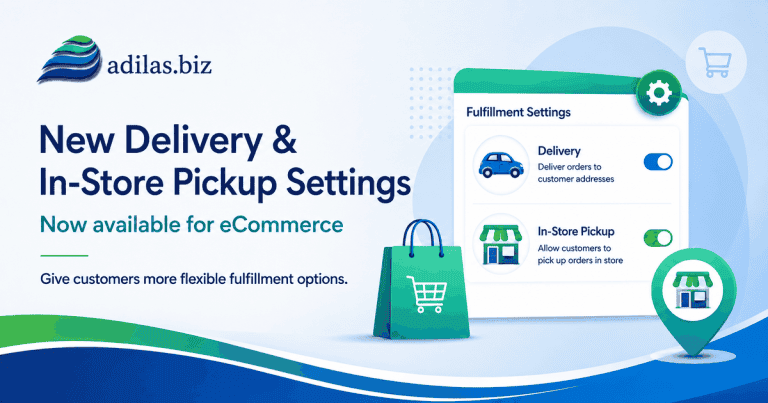
Cannabis UpdatesGeneral News and UpdatesHelp FilesMJ Tips and TricksTips and TricksNew Online Delivery and Order Settings
If you haven’t checked out our new Green Skin e-commerce theme, now’s the time! These settings allow for customizing your online store in many ways. See the previous news and update “Adilas E-Commerce Update – New Green Commerce Interface Launch” for more information. Once you have the Green Skin a…
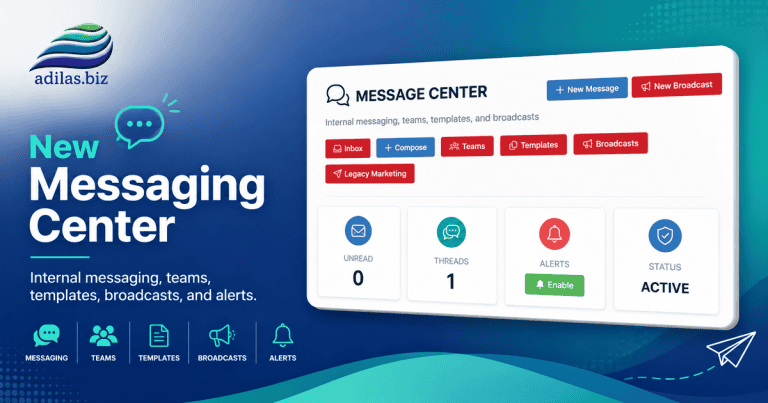
Cannabis UpdatesCore FeaturesGeneral News and UpdatesHelp FilesMJ Tips and TricksSupportTips and TricksAdilas Messaging Center-Major New Release
The new Adilas Messaging Center has been completely redesigned to provide a modern communication platform for employees, teams, and customers. The system now supports internal messaging, customer conversations, team collaboration, templates, broadcasts, search functionality, push notifications, and…
Core FeaturesGeneral News and UpdatesHelp FilesMJ Tips and TricksTips and TricksNew Quick Debit with Change Setting in Mini Scan Cart
For users who have an external debit or ATM payment solution, now there is a quick payment flow if you are using the mini scan cart. Please refer to prior news and updates for setting up the mini scan cart: “New Shopping Cart Now Available.” Once you have this shopping cart turned on you can access…
Cannabis UpdatesCore FeaturesGeneral News and UpdatesHelp FilesMJ Tips and TricksSupportTips and TricksNew Settings for Threshold Engine…Get Inventory Alerts When Inventory Drops Below Limit from Sales Activity
Before you could receive email alerts from PO activity, specifically Internal Build PO’s created through the Build process. Now, when a sale happens, and your inventory drops below the threshold, you will receive emails alerting you to this. Please refer to the prior News and Updates “Improvements…
Core FeaturesGeneral News and UpdatesHelp FilesMJ Tips and TricksSupportTips and TricksNew Mini Scan Cart Feature…Top Ten Sales Page Setting
If you are using the mini scan cart there is a new feature you can activate that allows you to see the top ten items sold to a customer once you have added them to the shopping cart. **Please refer to the previous News and Update “New Features Available for Mini Scan Cart” for more information on t…
Core FeaturesGeneral News and UpdatesHelp FilesMJ Tips and TricksTips and TricksNew e-Signature for Printer Friendly Invoice
Your customers can e-sign an invoice now with a new custom setting. To turn this feature on, go to your invoice homepage. Click on the question mark on the right side of the page. Click on the settings link, then click on printable invoice settings. Click on the tab for Printer Friendly Version. Th…
Core FeaturesHelp FilesMJ Tips and TricksTips and TricksNew Bulk Transfer Function Now Available
If you need to transfer multiple inventory items from one location to another, this bulk tool is super helpful. Start a transfer shopping cart. Designate your from and to locations. Instead of adding items directly into the cart, navigate to the invoice homepage. Click on more options, and then bul…
Cannabis UpdatesCore FeaturesGeneral News and UpdatesHelp FilesMJ Tips and TricksSupportTips and TricksHow to Apply Vendor Credits From Payables
Please read How To Use The New Special Account for Vendor Credit to Create a Manual Credit Entry and New Special Account Type… Vendor Credit in order to get these settings turned on properly and learn how to create the vendor credit. Once you have created vendor credits you can use them as payments…
Core FeaturesGeneral News and UpdatesHelp FilesMJ Tips and TricksSupportTips and TricksNew Special Account Type… Vendor Credit
We have added a new payment type called vendor credit. Once this is set up you can track money that is owed to you from vendors. This credit can then be used to pay expense receipts connected to PO’s or any expenses that you may have on account in adilas. Here is a ‘how to’ for activating this sett…
Core FeaturesGeneral News and UpdatesHelp FilesMJ Tips and TricksSupportTips and TricksAnother Mini Scan Cart Setting-AI Image Generator
The AI Image Generator allows you to create images by adding a simple word or several words to the field and voila-your image! This AI image generator is located in the mini scan cart settings. To see how to access those, please refer to ‘New Features Available for Mini Scan Cart.’ Here is what the…
Core FeaturesGeneral News and UpdatesHelp FilesMJ Tips and TricksSupportTips and TricksAI Image Generator for Categories
Now when you add a new category you can generate an image directly from AI. If you have existing categories that need images, you can easily update them with the same tool. Go to the items homepage. Go to add/edit categories. You can see there is now a Grok AI image generator. Click on the ‘i’ for…
Core FeaturesGeneral News and UpdatesHelp FilesMJ Tips and TricksSupportTips and TricksSettings for Mini Display
Please refer to the news and update “New Mini Display for Shopping Cart Activity Now Available” if you are interesting in using an external monitor. Once you have that set up, you can take advantage of these new settings. From the mini scan shopping cart, access the settings gear. Click on the link…
Core FeaturesGeneral News and UpdatesHelp FilesMJ Tips and TricksSupportTips and TricksDo You Want to Receive a Notification When Your Inventory Drops Below a Set Threshold?
Currently, Adilas has email notifications for this that are driven by Purchase Order activity if you set the threshold engine (see previous post entitled “Improvements to the Threshold Engine and Report “). When you reduce your inventory through a PO, such as with an internal build/recipe or update…
Cannabis UpdatesCore FeaturesGeneral News and UpdatesHelp FilesMJ Tips and TricksSupportTips and Tricks