News & Updates: Core Features
What's new in adilas: new features, changes and tips. See every topic.
Round Cash Payments to Five Cents
Type New setting New Feature Choose how the final cash balance rounds to $0.05 at checkout. Round up, round down, or use the nearest nickel while keeping card payments exact. Where Corporation settings and defaults > Invoice Rounding > Cash-only rounding to $0.05. Who it is for Businesses that acce…
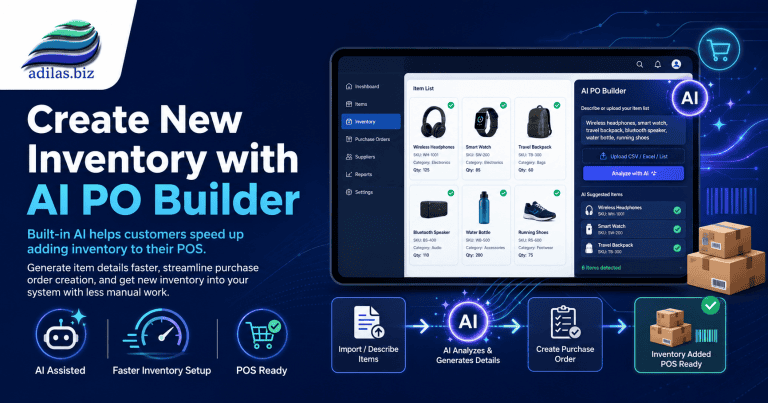
Core FeaturesGeneral News and UpdatesHelp FilesSupportTips and TricksCreate New Inventory with AI PO Builder
When you receive an invoice for new inventory, you can scan it into the AI PO Builder and have it analyze the invoice. Hover on home at the top of any page. Go to AI Analytics/Tools Homepage. Click on AI PO Builder link. Choose file from your desktop, or you can take a picture right from your phone…
Core FeaturesGeneral News and UpdatesHelp FilesSupportTips and TricksCustomer Portal Access Made Easier with QR Codes and Mobile Invitations
At adilas, we’re always looking for ways to strengthen the connection between businesses and their customers. We’re excited to announce two new enhancements that make it easier than ever for customers to access their information, stay connected, and engage with your business online. Introducing the…
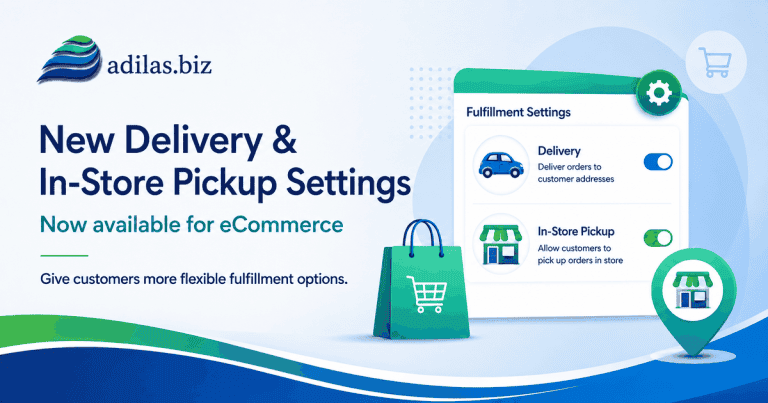
Core FeaturesGeneral News and UpdatesHelp FilesNew Online Delivery and Order Settings
If you haven’t checked out our new Green Skin e-commerce theme, now’s the time! These settings allow for customizing your online store in many ways. See the previous news and update “Adilas E-Commerce Update – New Green Commerce Interface Launch” for more information. Once you have the Green Skin a…
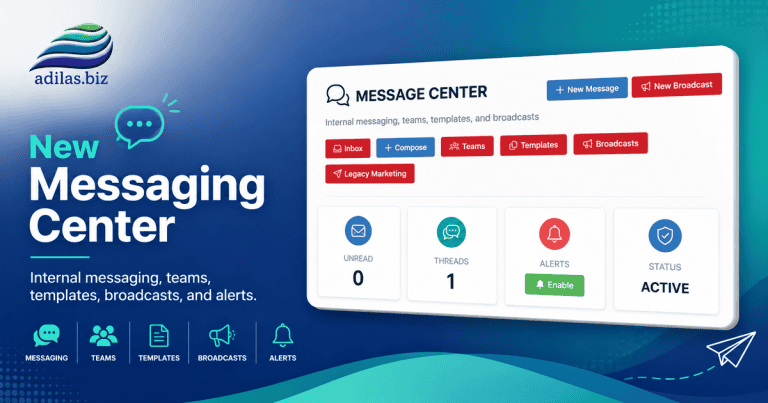
Cannabis UpdatesCore FeaturesGeneral News and UpdatesHelp FilesMJ Tips and TricksSupportTips and TricksAdilas Messaging Center-Major New Release
The new Adilas Messaging Center has been completely redesigned to provide a modern communication platform for employees, teams, and customers. The system now supports internal messaging, customer conversations, team collaboration, templates, broadcasts, search functionality, push notifications, and…
Core FeaturesGeneral News and UpdatesHelp FilesMJ Tips and TricksTips and TricksUpdates to Add/Edit My Cart Favorites
We have updated the look and feel on this page. When you go to add or edit link, you will see the choices for simple, photo or group buttons. Click on the ‘i’ next to ‘button style’ for more information on how the new buttons work. If you choose simple or photo buttons, you will have access to the…
Core FeaturesGeneral News and UpdatesHelp FilesTips and TricksAdilas Data Access, Database Requests, and Record Retention Policy
Introduction • This document explains the distinction between client data and Adilas intellectual property. • It outlines legal and regulatory requirements related to business record retention. • It explains audit and compliance requirements from federal, state, and local agencies. • It explains wh…
Core FeaturesFrequently Asked QuestionsGeneral News and UpdatesSupportBulk Add Parent Items to a Purchase Order
Now you can add multiple lines to a Basic Live PO and Basic Request PO at one time. This only adds the parent, and you will still need to add the sub inventory if needed. Start a PO as usual. You can click on the link to ‘bulk add lines’ in two places. When you click on the link, all
Core FeaturesFrequently Asked QuestionsGeneral News and UpdatesHelp FilesSupportTips and TricksNew Quick Debit with Change Setting in Mini Scan Cart
For users who have an external debit or ATM payment solution, now there is a quick payment flow if you are using the mini scan cart. Please refer to prior news and updates for setting up the mini scan cart: “New Shopping Cart Now Available.” Once you have this shopping cart turned on you can access…
Cannabis UpdatesCore FeaturesGeneral News and UpdatesHelp FilesMJ Tips and TricksSupportTips and TricksNew Settings for Threshold Engine…Get Inventory Alerts When Inventory Drops Below Limit from Sales Activity
Before you could receive email alerts from PO activity, specifically Internal Build PO’s created through the Build process. Now, when a sale happens, and your inventory drops below the threshold, you will receive emails alerting you to this. Please refer to the prior News and Updates “Improvements…
Core FeaturesGeneral News and UpdatesHelp FilesMJ Tips and TricksSupportTips and TricksNew Mini Scan Cart Feature…Top Ten Sales Page Setting
If you are using the mini scan cart there is a new feature you can activate that allows you to see the top ten items sold to a customer once you have added them to the shopping cart. **Please refer to the previous News and Update “New Features Available for Mini Scan Cart” for more information on t…
Core FeaturesGeneral News and UpdatesHelp FilesMJ Tips and TricksTips and TricksTired of Shopify Inventory Limitations?
Now you can tie your adilas store to your Shopify store for seamless inventory management. If you are interested please call our customer support number 720-740-3046 to schedule a demo and see how this integration can work for you. **Please note….adilas has it’s own built in e-commerce that is free…
Core FeaturesGeneral News and UpdatesAdilas AI Agent At Your Service!
Adilas has built Adi, an AI Agent, to help speed up some of our functionality. Here is a quick guide on how to set it up and how to use it. Now you are ready to go! This is stage one of our Agent. Adi has been trained on 350 prompts to date. You can type a specific prompt into
Core FeaturesFrequently Asked QuestionsGeneral News and UpdatesHelp FilesSupportTips and TricksNew Setting For Customer Search
Now you can set your default customer search to show active customers only. **If you need to see inactive customers, you can use the customer advanced search and select customer status ‘all’ or ‘inactive.’ To change the setting from the current setting (default=all) go to the Classic homepage. Clic…
Core FeaturesGeneral News and UpdatesHelp FilesSupportPartial Credit Card Refunds for CardPointe and Clover
Previously when you needed to give a customer a refund on part of their order, it required doing it manually. Now there is a feature that will perform this function from within the original invoice. *Please note: In order to do a partial refund, the sale needs to have been received and batched by t…
Core FeaturesCustomer FeedbackGeneral News and UpdatesHelp FilesSupportTips and Tricks