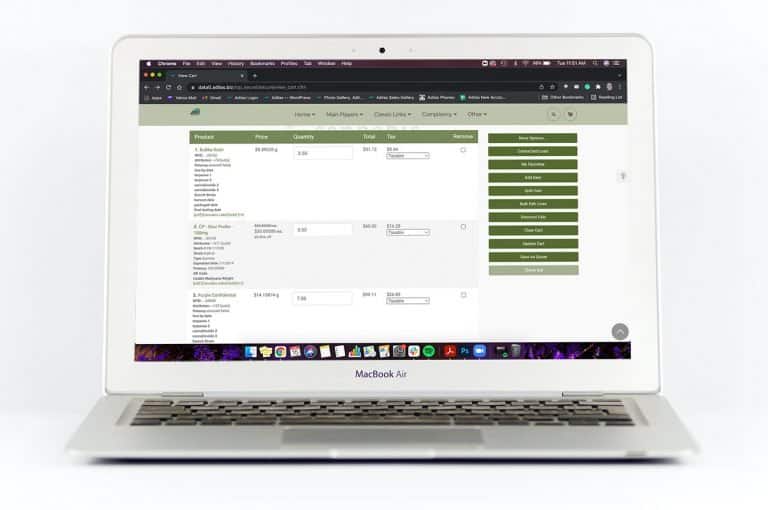
Fear not! We have a quick and easy solution for you until our do-it-yourself label builder function is complete! You can duplicate the invoice and add it to a cart with just a few easy steps. From the Dispensary Homepage click on the Invoice Homepage. Scroll down to the Invoice you need to print la…
What changed
Fear not! We have a quick and easy solution for you until our do-it-yourself label builder function is complete! You can duplicate the invoice and add it to a cart with just a few easy steps.
Now you can print your pdf labels or standard labels.
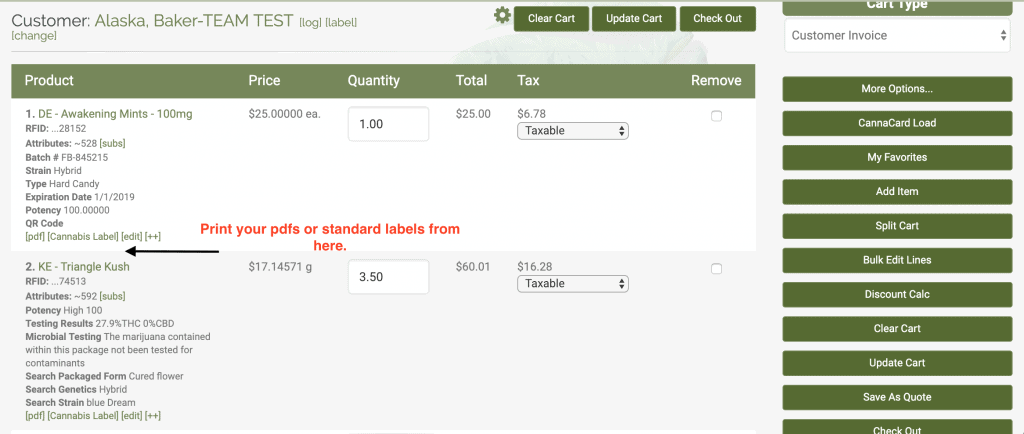
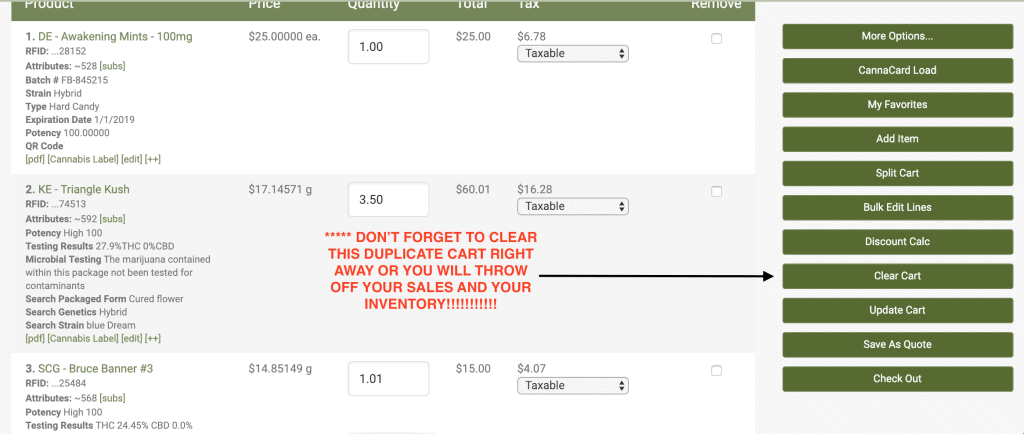
****VERY IMPORTANT…. AS SOON AS YOU HAVE PRINTED THESE LABELS CLEAR THE CART!!
How to use it
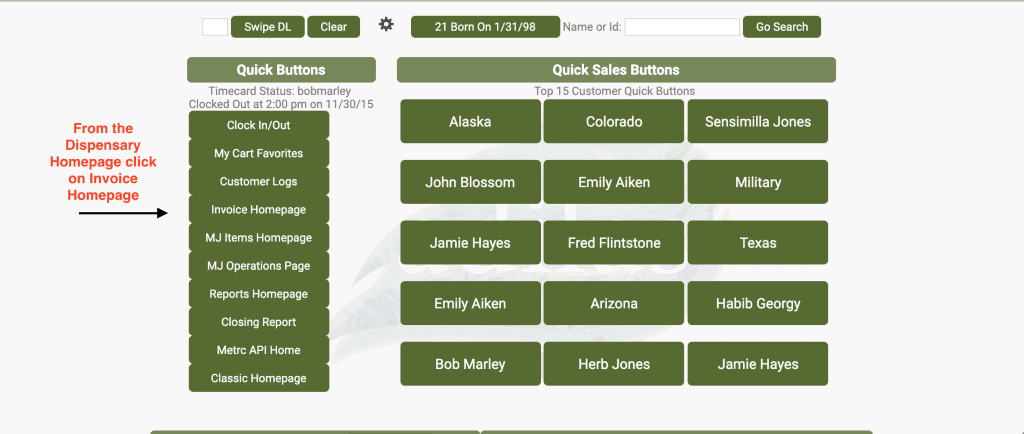
From the Dispensary Homepage click on the Invoice Homepage.
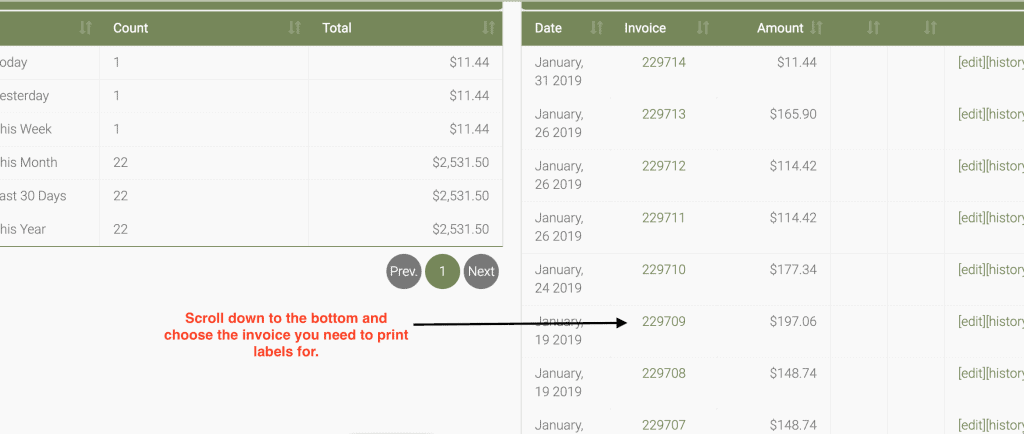
Scroll down to the Invoice you need to print labels for, and click on the invoice number to open.
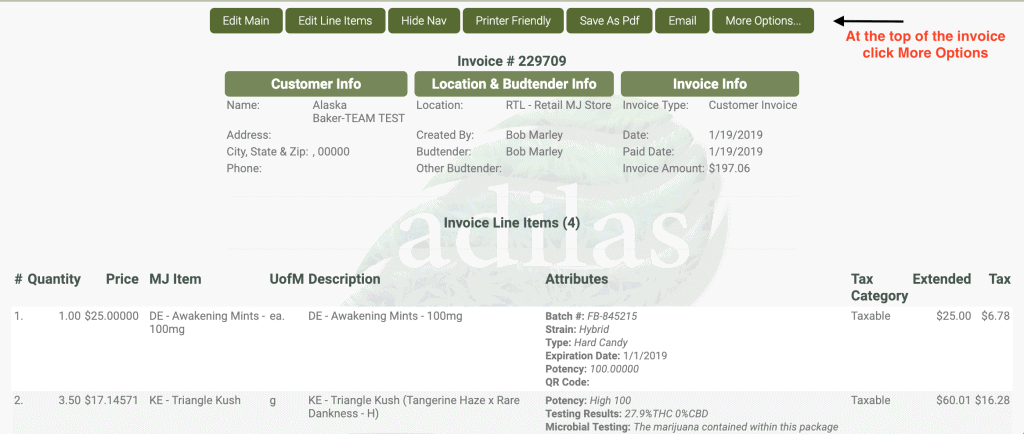
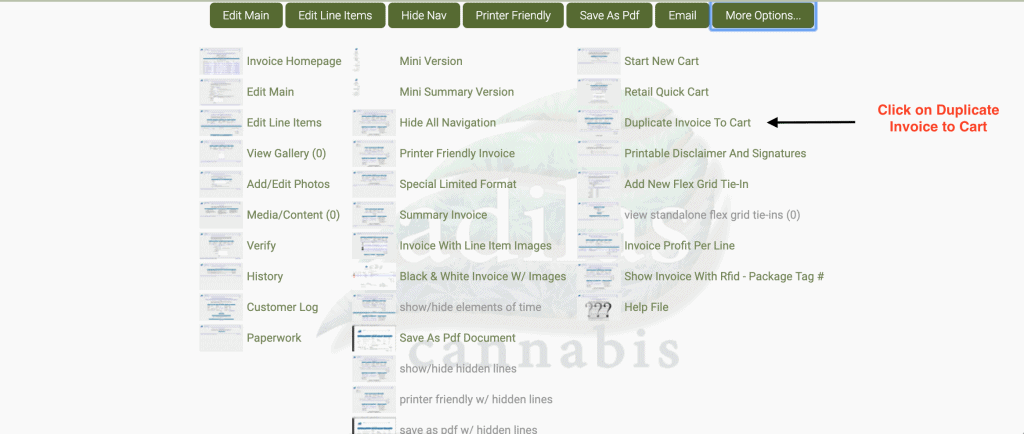
Once you open the invoice, click on more options at the top, which will bring up the link for “Duplicate Invoice to Cart.” Click on this link.
Help and related information
As always, please feel free to reach out to your consultant, Technical Support at 719-966-7102, or email support@adilas.biz if you have any questions, concerns, or suggestions.
First posted on the old news site: https://news.adilas.biz/2019/02/04/hey-budtender-did-you-forget-to-print-labels-for-your-mj-items-before-you-closed-out-your-shopping-cart/