Action required. Open Sub Inventory Templates for the category.
Enable Show on Web and Show in Web Cart for the active details you want shoppers to see.
Use Show Parents, Choose Subs for the company or category.
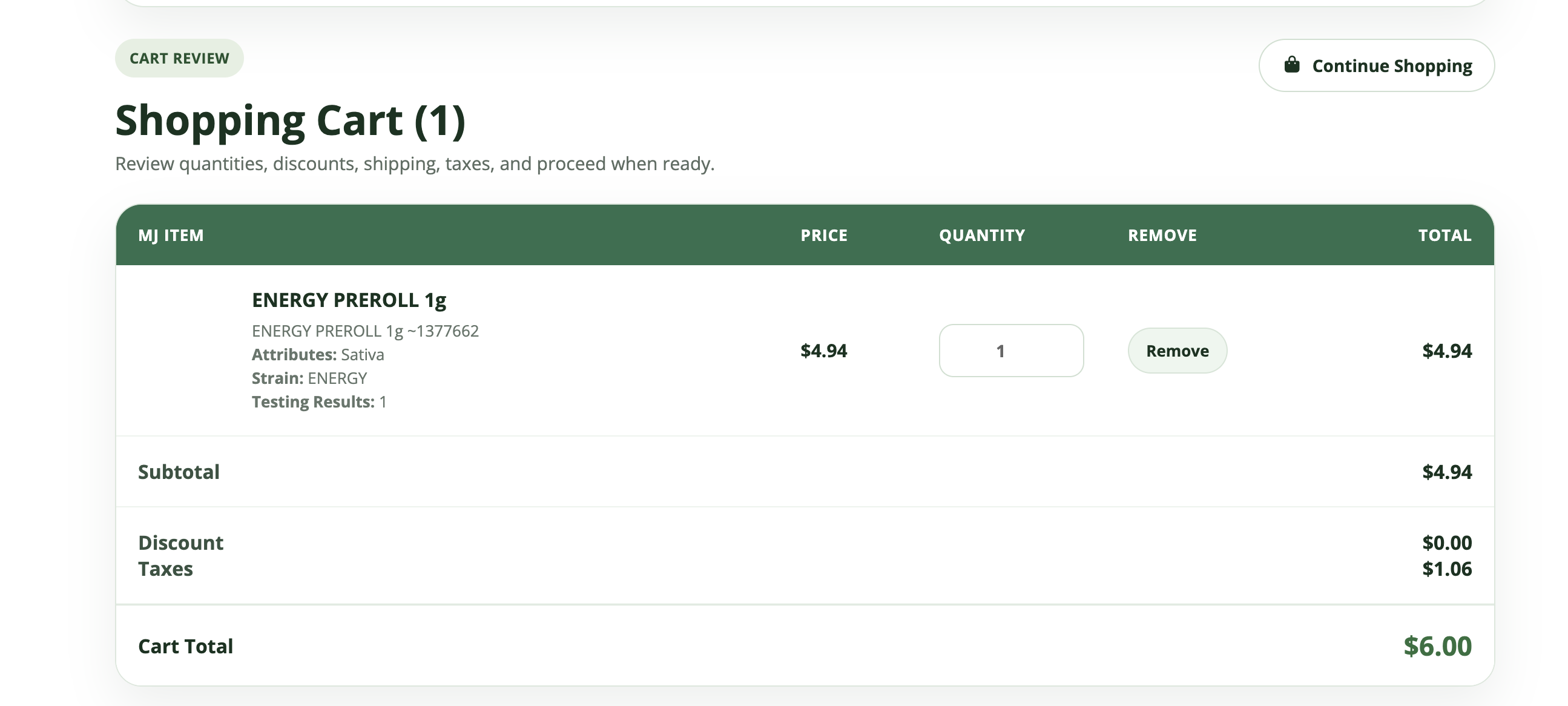
Choose which package details appear in the green skin cart.
What changed
Shoppers choosing a package could see only the parent item name in the cart.
Choose which package details appear in the green skin cart.
Choose one, several or all public sub details to display beneath each selected package.
Category selling choices are respected, and Show Parents, Sell Subs keeps its existing behavior.
The new cart display applies to selected packages using Show Parents, Choose Subs.
Why it matters
Help shoppers confirm that they selected the right package without crowding the cart.
How to use it
- Open Sub Inventory Templates for the category.
- Enable Show on Web and Show in Web Cart for the active details you want shoppers to see.
- Use Show Parents, Choose Subs for the company or category.
- Is it on?
- An admin turns it on: Show in Web Cart on Sub Inventory Templates
- Who it's for
- administrator
- Availability
- Live now